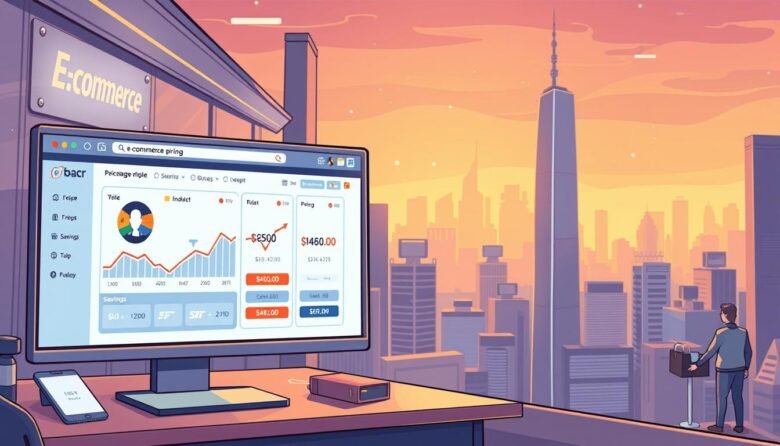
Online retailers are getting smarter about adjusting prices based on your browsing history, location, and even the device you’re using. This practice, known as dynamic pricing, can significantly impact your online shopping experience.
For instance, if you regularly visit NeimanMarcus.com, a retailer might assume you’re more likely to buy at a higher price point, thus increasing the cost. This can lead to a substantial financial impact on everyday shoppers who aren’t aware of these tactics.
Understanding how websites use sophisticated algorithms to adjust prices is crucial for saving money. In this article, we’ll explore browser-based techniques to help you uncover better deals and level the playing field between consumers and retailers who use dynamic pricing.
Key Takeaways
- Understand how dynamic pricing affects your online shopping experience.
- Learn browser techniques to reveal hidden deal prices.
- Discover how to save money by being aware of price adjustments.
- Explore the impact of browsing history and location on product prices.
- Master ethical methods to get the best deals on your online purchases.
Understanding Dynamic Pricing: Why Retailers Hide the Best Deals
Online retailers employ dynamic pricing strategies to adjust prices in real-time, often hiding the best deals from unsuspecting shoppers. This practice has become increasingly common, with retailers using sophisticated algorithms to analyze consumer behavior, market demand, and competition to determine the optimal price for their products.
What is Dynamic Pricing and How it Works
Dynamic pricing refers to the practice where retailers adjust prices in real-time based on various factors. These factors include browsing patterns, purchase history, and even the time of day. By analyzing these factors, algorithms can determine the optimal price point for maximizing profits. Retailers segment customers into different pricing tiers based on their perceived willingness to pay, often resulting in price fluctuations of up to 10-20% within minutes for the same products.
Major shopping sites and retailers commonly employ dynamic pricing strategies, making it essential for consumers to be aware of these practices. By understanding how dynamic pricing works, consumers can take steps to avoid paying higher prices.
How to Detect if You’re Being Shown Higher Prices
Detecting dynamic pricing can be challenging, but there are several strategies to help you identify if you’re being shown higher prices. Online retailers use various tactics to adjust prices based on your browsing history and shopping behavior. One way to determine if you’re being duped is to check if the price of an item increases after you’ve visited the product page multiple times.
Signs of Price Manipulation to Watch For
To avoid being manipulated, watch for these signs:
– Prices increasing after multiple visits to a product page,
– Discrepancies in prices when checking on different devices or browsers simultaneously,
– Sudden price increases after adding items to your cart,
– Geographical pricing differences detected by checking prices with and without location services enabled, and
– Different prices displayed based on whether you’re logged into your account or browsing anonymously on various websites.
By being aware of these tactics used by online retailers, you can make more informed decisions when shopping online and potentially save money by avoiding manipulated price increases.
Browser Tricks and Incognito Shopping Essentials
Online shoppers can benefit from using incognito mode to prevent price manipulation. When you browse in incognito or private mode, your browser history is not stored on your computer. This mode acts as a first line of defense against dynamic pricing by preventing websites from accessing your browsing history.
Setting Up Incognito Mode Across Different Browsers
To enable incognito mode, follow these steps for popular browsers:
- Chrome: Press Ctrl+Shift+N to open an incognito window.
- Firefox: Use Ctrl+Shift+P to start private browsing.
- Safari: Go to Preferences > Privacy and enable Private Browsing.
- Edge: Press Ctrl+Shift+P to open a private window.
Incognito mode prevents local storage of cookies and history but doesn’t hide your IP address. It’s essential to close and reopen incognito windows between shopping sessions to ensure a fresh browsing environment.
By understanding how to use incognito mode effectively, you can shop online with more confidence, avoiding potential price hikes based on your browsing history.
Managing Cookies to Avoid Price Discrimination
The use of cookies by online retailers can lead to price discrimination, but there are ways to manage this. Cookies are small pieces of data stored on your browser that track your browsing history and preferences. By understanding and managing cookies, you can prevent retailers from adjusting prices based on your browsing habits.
Disabling Third-Party Cookies
To avoid price discrimination, it’s crucial to disable third-party cookies. These cookies are used by advertisers and retailers to track your browsing history across multiple sites, allowing them to customize prices. Disabling them can be done through your browser settings. For instance, in Google Chrome, you can navigate to Settings > Privacy and security > Cookies and other site data, and then choose to block third-party cookies.Key steps to manage cookies include:* Understanding the difference between first-party and third-party cookies, with the latter being more problematic for price discrimination.
* Using browser extensions or cookie management tools to automate the process of controlling cookies.
* Regularly clearing cookies for specific shopping sites to prevent the accumulation of tracking data.
By managing cookies effectively, you can protect yourself from price discrimination and enjoy a more equitable online shopping experience.
The Multi-Browser Strategy for Better Deals
Employing multiple browsers is a straightforward method to reset tracking parameters and secure better deals. This technique involves researching products on one browser and making purchases on another, effectively creating the impression of a first-time visitor to retailers’ sites.
By doing so, shoppers can avoid dynamic pricing, which often results in higher prices for repeat visitors. For instance, you can use Firefox for shopping research, comparing prices, and reading reviews, and then switch to Google Chrome to complete your purchase. This switch makes it difficult for retailers to track your browsing history and adjust the price accordingly.
Effective Browser Pairing
To maximize the effectiveness of this strategy, it’s essential to pair browsers wisely. For example, you can use a browser like Firefox or Edge for research, as they have robust privacy features and are less commonly used for tracking. Then, use a more popular browser like Google Chrome or Safari for making purchases. This combination can help in avoiding price manipulation.
Additionally, using this technique in conjunction with incognito mode can further enhance your ability to secure better deals. By combining multiple browsers with private browsing, you significantly reduce the chances of being tracked by online retailers, thus potentially lowering the prices you’re offered.
Location-Based Price Manipulation and How to Beat It
Retailers often use geolocation data to manipulate prices, making it essential for consumers to understand this practice. Online retailers like Office Depot, Staples, and Home Depot have used zip codes to track geographical locations and offer different prices to different shoppers.
How Zip Codes Affect Pricing
The use of zip codes by retailers can result in varying prices for the same product, depending on the local economic factors and competition in that area. For instance, if you live in a zip code with a high median income, you may be charged a higher price due to dynamic pricing.
To combat this, consumers can try entering a different zip code during checkout, perhaps one with a lower income level, to see if the price changes. This simple trick can help you save money on your online purchases.
Other strategies to avoid location-based pricing include using VPN services to change your virtual location, testing different zip codes during checkout, and disabling location services on mobile devices. It’s also crucial to be aware of the ethical considerations and limitations of location spoofing while focusing on legal consumer-protection strategies.
Price Tracking Tools and Extensions

The key to snagging the best deals online lies in leveraging price tracking tools and browser extensions. These tools enable shoppers to monitor price changes, receive alerts when prices drop, and compare prices across different shopping sites.
CamelCamelCamel and Amazon Price Tracking
CamelCamelCamel is a free website that allows users to create “Amazon price drop alerts” on millions of products. By tracking the price history of a product, shoppers can make informed decisions about when to buy. When the price drops, users receive alerts via email or Twitter.
Other useful tools include Honey and Rakuten, which automatically find and apply coupon codes during checkout. Price comparison tools like PriceGrabber and Google Shopping help identify the lowest price across multiple shopping sites. By combining these tools with the browser techniques mentioned earlier, shoppers can maximize their savings.
Key benefits of using price tracking tools and extensions include: tracking price histories, receiving price drop alerts, comparing prices across sites, and automatically applying coupon codes. By leveraging these tools, online shoppers can make more informed purchasing decisions and save money.
Strategic Cart Abandonment for Discount Codes
By strategically abandoning your cart, you can prompt retailers to offer you a discount code. This technique involves filling your online shopping cart with desired items and then leaving the site without completing the purchase. To maximize the effectiveness of this strategy, it’s essential to understand the psychology behind retailer follow-ups.
The Psychology Behind Retailer Follow-ups
Retailers use cart abandonment recovery emails to re-engage potential customers. The psychology behind these follow-ups is rooted in the desire to minimize lost sales and maximize revenue. By offering discounts, retailers aim to entice customers back to complete their purchase.
To effectively abandon your cart, start by filling it with the items you wish to purchase and proceed to the checkout page. Then, exit the site without completing the transaction. If you’ve provided your email address, you’ll likely receive a follow-up email with a discount code to encourage you to return and finalize your purchase.
Key tips for cart abandonment: Ensure you’re logged into the website to receive personalized follow-ups. Consider setting up a dedicated email address for shopping to manage promotional emails. Timing is also crucial; waiting a few days before returning to your cart can increase the likelihood of receiving a discount offer.
Some retailers are more likely to offer abandonment discounts than others, particularly those with high-value or competitive products. By combining cart abandonment with other strategies like incognito browsing, you may be able to secure even larger discounts.
Combining Multiple Discount Strategies
Shoppers can save more by learning how to stack different types of discounts. This involves understanding what discounts are available and how to combine them effectively. Many retailers design their discounts with coupon stacking in mind, so it’s worth exploring.
Stacking Coupons and Promotions Effectively
To maximize savings, it’s essential to understand how to stack coupons and other promotions. Start by checking if a retailer allows coupon stacking. Some stores permit combining coupons with other credit card offers or cards promotions. Always apply percentage discounts before fixed amount discounts to get the most savings.
Leveraging social media follows, email sign-ups, and app downloads can also provide exclusive discounts. Using credit card shopping portals and reward programs in conjunction with store promotions can further enhance savings. By combining these strategies, shoppers can sometimes achieve savings exceeding 50% off retail price.
Post-Purchase Price Protection Techniques
The savvy shopper’s journey doesn’t end at checkout; it continues with post-purchase price protection. Many retailers offer price protection policies that allow customers to receive a refund if the price of an item drops shortly after purchase. This means that if you buy a product and its price decreases within a certain timeframe, you can request a price adjustment.
How to Request Price Adjustments After Buying
To request a price adjustment, you typically need to contact the retailer’s customer service department with your proof of purchase and the current price information. Some retailers have specific forms or email templates that you can use to facilitate this process. For instance, you can use a template like: “Dear Customer Service, I’m writing to request a price adjustment for my recent purchase of [product name] on [date]. The original price was [original price], but it has since dropped to [new price]. Could you please process a refund for the difference?”
Key strategies for effective post-purchase price protection include tracking the product’s price after buying, understanding the retailer’s price protection policy, and using services like Paribus that automate the process of monitoring prices and requesting adjustments on your behalf. By leveraging these techniques, you can ensure that you get the best deal on your product or service, even after you’ve completed your purchase.
Staying Ahead of Evolving Pricing Algorithms
As retailers continue to evolve their pricing strategies, staying informed is crucial for savvy shoppers. Modern retail is full of deals, but knowing when the price is right can feel like a guessing game. The good news is, with a bit of know-how, you can still avoid paying too much.
Pricing algorithms are constantly evolving, and retailers are becoming more sophisticated in their data collection methods. To stay ahead, it’s essential to stay updated on the latest browser privacy features and tools that can help counter new tracking methods. Regular “digital hygiene” can minimize your data footprint and reduce the information retailers can use for price discrimination.
By combining these strategies and staying informed about emerging trends in dynamic pricing, you can make the most of your online shopping experience. Being a proactive, informed consumer is key to navigating the complex world of digital retail pricing.